Proclip MB Actros 5 20-/Arocs 20- Center RHD-Heavy Duty

Artikelnummer
313558
Op voorraad
€ 63,95
-
+
Gegevens
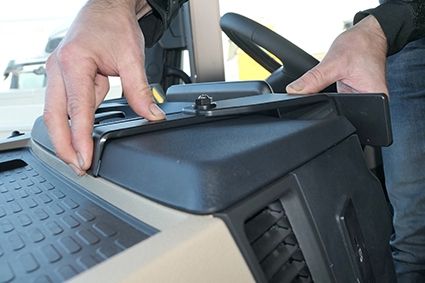
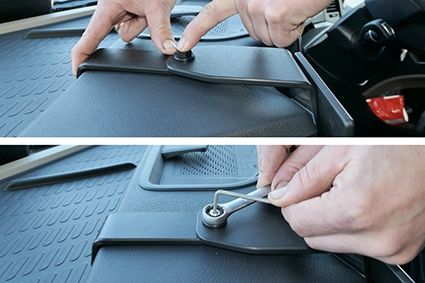
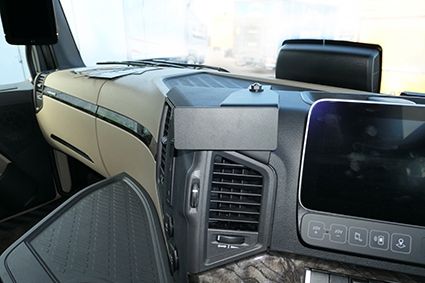
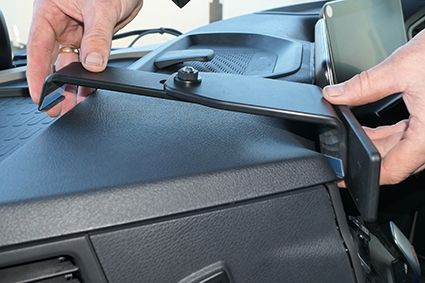
Lees alle instructies en bekijk de foto's voordat u de ProClip bijvoegt. 1. Druk het dunne uiteinde van de meegeleverde gap opener in de opening tussen het dashboard en de luidsprekeropening om de opening te vergroten. Gebruik de meegeleverde alochol pad om het gebied waar de ProClip moet worden geïnstalleerd schoon te maken. Druk de schuine rand op het onderste deel van de ProClip in de opening tussen het frame rond de ventilatieopening en het dasboard. 2. Haak de schuine rand op het bovenste deel van de ProClip onder het bovenste deel van het dashboard. 3. Houd het bovenste deel in de opening en druk tegelijkertijd naar voren op de vlakplaat, zodat de ProClip samentrekt en stevig op zijn plaats zit. Draai de grote moer voorzichtig bovenop de ProClip zodat de ProClip samentrekt en stevig op zijn plaats zit. Gebruik een inbussleutel om de kleine moer vast te draaien en vergrendel de ProClip in de gewenste positie. 4. De ProClip is gemonteerd.
Meer informatie
Meer informatie
Accessoiremerk Brodit
Barcode 7320283135583
Adviesverkoopprijs incl. BTW 63,95
Type ProClip stuur rechts
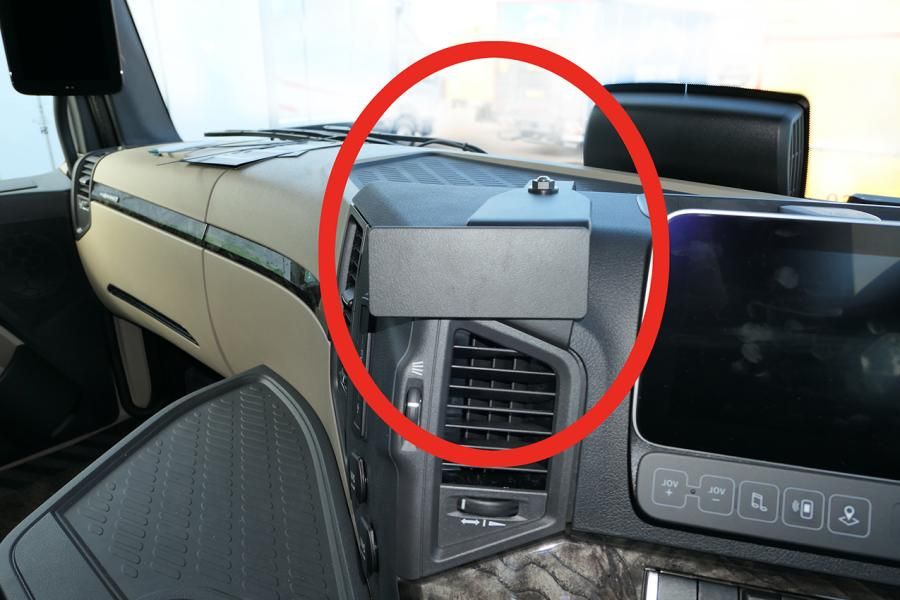
Positie Midden dashboard
Kleur zwart
Montage standaard AMPS afmeting, zonder gaten
Productinfo Deze ProClip is een voertuig specifieke montage steun voor op het dashboard of A-stijl van uw voertuig. Op de ProClip kunt u een Brodit houder voor uw smartphone, navigatietoestel of tablet monteren waardoor het binnen zicht- en handbereik is
Productinstallatie Deze ProClip is snel en eenvoudig te monteren steun. Montage zonder beschadiging van dashboard of interieur. Er is geen speciaal gereedschap nodig. Een montagehandleiding wordt meegeleverd.
Product geschikt voor info Bij het tabblad Compatibility checkt u de auto's die geschikt is/zijn voor deze Proclip
Reviews
Schrijf uw eigen review
U plaatst een review over:Proclip MB Actros 5 20-/Arocs 20- Center RHD-Heavy Duty
Compatibility
Instructies
Please read all of the instructions and look at the pictures before attaching the ProClip. 1. Press the thin end of the enclosed gap opener into the gap between the dashboard and the speaker vent, to widen the gap. Use the enclosed alochol pad to clean the area where the ProClip is to be installed. Press the angled edge on the lower part of the ProClip into the gap between the frame surrounding the air vent and the dasboard.
2. Hook the angled edge on the upper part of the ProClip under the top part of the dashboard.
3. Hold the upper part in the gap and in the same time press forward on the face plate so the ProClip contracts and is firmly in place. Tighten the large nut gently on top of the ProClip so the ProClip contracts and is firmly in place. Use an Allen key to tighten the small nut and lock the ProClip into the desired position.
4. The ProClip is in place.

Scroll to top